| Home | Previous Lesson: Graph Presentation Style Next Lesson: Nested Reports |
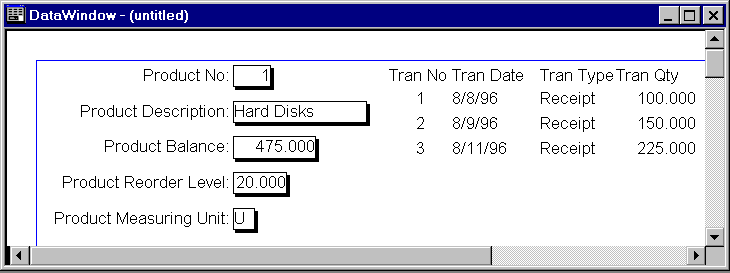
A Composite presentation style allows you to design a DataWindow using multiple existing DataWindows. Till PowerBuilder version 4.0, it was difficult to print two DataWindows side-by-side. This presentation style is a solution for that problem. Let's create a DataWindow to display
Actually this can be done with a SQL join and a single DataWindow, however the presentation becomes a problem.
SELECT "product_master"."product_no",
         "product_master"."product_description",
         "product_master"."product_balance",
         "product_master"."product_reorder_level",
         "product_master"."product_measuring_unit"
    FROM "product_master"
WHERE "product_master"."product_no" = 1 |
SELECT "trans"."tran_no",
         "trans"."tran_date",
         "trans"."tran_type",
         "trans"."tran_serial_no",
         "trans"."tran_item_no",
         "trans"."tran_qty"
    FROM "trans"
WHERE "trans"."tran_item_no" = 1 |
| Home | Previous Lesson: Graph Presentation Style Next Lesson: Nested Reports |