| Home | Previous Lesson: FreeForm Presentation Style Next Lesson: Grid Presentation Style |
Follow the following steps to create a DataWindow in tabular presentation style.
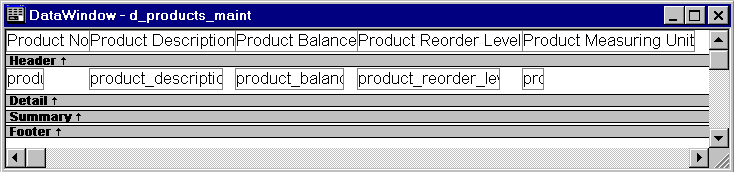
The Tabular presentation style displays data in columns with headers, like a two-dimensional table:
In the free form presentation style, labels are used for data fields and are placed in the detail band along with the data itself. In tabular presentation style, headings are used and are placed in the header band.
This style is often used for reports, grouping columns and for DropDown DataWindows. The number of columns and rows displayed on the screen at any point of time depends on the size of the DataWindow control.
| Home | Previous Lesson: FreeForm Presentation Style Next Lesson: Grid Presentation Style |