| Home | Previous Lesson: Print Previewing, Zooming & Printing the Data Next Lesson: Using Logs |
In most cases, you won't be using PowerBuilder to create and alter table definitions. In fact DBAs (Database Administrators) use other tools which are specifically designed for database management. You will probably use PowerBuilder as a front-end tool to display data from an existing database. In such situations extended attributes that are offered by PowerBuilder are not used at all (unless you open the database and define extended attributes).
On the other hand, it is possible to create tables using PowerBuilder and then alter them outside the PowerBuilder environment. For example, you could alter the definition of PowerBuilder produced tables using SQL Central tool. Whenever the tables are modified outside the PowerBuilder environment, PowerBuilder's extended attributes become out-of-date.
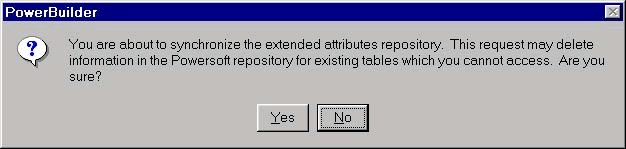
In order to rectify this, PowerBuilder provides you with an option to synchronize the attributes from the Design menu.
If there aren't any differences between the attribute definitions, PowerBuilder displays a message telling you that synchronization isn't required.
| Home | Previous Lesson: Print Previewing, Zooming & Printing the Data Next Lesson: Using Logs |