| Home | Previous Lesson: Displaying Rows Description Next Lesson: Getting the System Tables back in Sync |
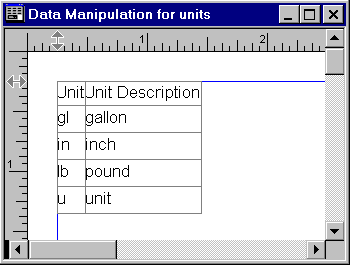
You can print or preview the current display using the standard File menu options of 'Print...' and 'Print Preview'. In Print Preview mode, you can turn on the Print Preview Rulers to let you adjust the margins and using the 'Print Preview Zoom...' feature you can alter the magnification.
After you have sorted and filtered data, you may want to print the data and say, there are many columns and you can't print all of those columns in one page. What you do? Well, you can get a large paper or you can zoom out of the data. Select 'File > Print Preview Zoom...' menu option.
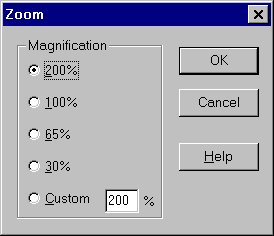
You can select from one of the pre-defined magnifications or type in a custom value. When you click the OK button, the display will change to the specified size. Note that any magnification changes that are made in the Print Preview mode are discarded when the 'Print Preview' is turned off and the display returns to the size before the Print Preview.
| Home | Previous Lesson: Displaying Rows Description Next Lesson: Getting the System Tables back in Sync |