| Home | Previous Lesson: Validation Rules Next Lesson: Defining Foreign Keys |
A Primary Key is used to uniquely identify each row in a table. When you apply a primary key to a column in a table, you are forcing each entry in that column to be unique�the database engine will reject those entries that will duplicate any existing entries in this column. Keys are important because they are used to join tables in a database.
It is not mandatory to define a primary key for every table, but if you don't, you won't be allowed to enter data into the table from the data manipulation screen in the Database Painter.
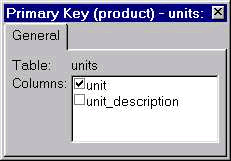
To define a primary key, either:
Check the unit column. To define a primary key with multiple columns, simply check all those columns from the column list.
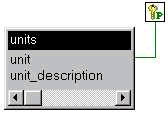
 Once you create the primary key, if you drag units table from Objects sheet to Object Layout sheet, PowerBuilder displays units table with a primary key icon. If you would like to browse the primary key, double-click on the icon.
| Home | Previous Lesson: Validation Rules Next Lesson: Defining Foreign Keys |