| Home | Previous Lesson: CommandButton Next Lesson: EditMask |
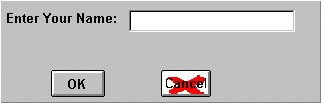
A PictureButton works exactly like a CommandButton and in addition to displaying text on the face of the button, it allows you to display a bitmap, a Run Length Encoded file, Windows metafile, GIF or JPEG picture on the button.
PowerBuilder allows you to display different pictures when the PictureButton is enabled and disabled. When you disable the PictureButton with some script, PowerBuilder automatically displays the picture you specified for the DisabledName.
PictureButtons have one more advantage over CommandButtons - the ability to display multiple lines of text on the button and to format them around the button. You can set the alignment of the text by using the HTextAlign and VTextAlign properties.
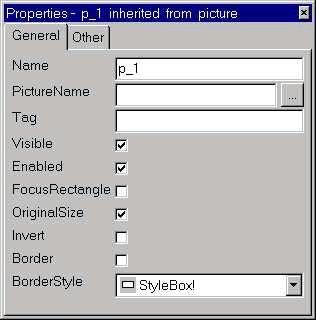
Checking the OriginalSize property changes the picture to its original dimensions, i.e. to the dimension the picture was given when it was first created. Even if you check this option, you can still resize the control and the picture will stretch to fit the size of the button. If you do this and look at the properties of the button again, you'll see that PowerBuilder has unchecked the OriginalSize property.
| Home | Previous Lesson: CommandButton Next Lesson: EditMask |