| Home | Previous Lesson: Naming Controls Next Lesson: PictureButton |
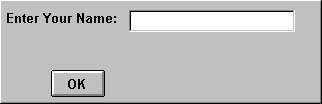
A CommandButton is used to allow the user to trigger an action. You'll probably be familiar with the OK and Cancel buttons used in standard MS-Windows dialog boxes, allowing the user to take control of whether or not a task is to be completed.
PowerBuilder allows you to pass on this functionality to your users by providing CommandButtons that can be customized, while allowing you to modify the code behind each button to perform the options that you have to offer.
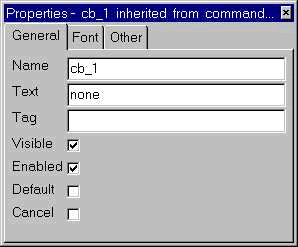
Typically, we write code for the clicked event (We will explain about events in later sessions) of the CommandButton, i.e., we specify the action to be taken whenever the user clicks on this CommandButton. Some users are from the DOS background, they have the habit of using keyboard than the mouse, might even press Enter key. Whenever user hits the Enter key, the Clicked event script should be executed. To achieve this functionality, you need to turn on the Default property. Border of a CommandButton which has Default property turned on, would appear black and thicker.
Similarly there is one more property, Cancel. Selecting this property will execute the CommandButton's Clicked event, whenever user press Esc button. Default and Cancel properties are not exclusive. If you need to run the same code for both Enter as well as Esc keys, you can turn on these properties.
One limitation of the CommandButton is that, you can't change the background color and the border.
Click on the CommandButton with right-mouse button and select Script option. Type the following, save the window and run it. At runtime, click on that button and see what happens!
MessageBox( "Hello!", "You clicked me (cb_1)!" )
That line of code displays a message box when you click on that button or press Tab key onto that button and press Spacebar. Events and coding are explained in detail in later sessions.
Which CommandButtons� Clicked event will fire if multiple CommandButtons have Default/Cancel properties turned on? Good question. Irrespective of the tab order, the last CommandButtons� Clicked event that was placed on the window will fire. The same will fire even if the tab order is zero as long as that CommandButton is enabled. What will happen if the last CommandButton is disabled? Then, nothing will happen when the Enter or Esc key are pressed.
| Home | Previous Lesson: Naming Controls Next Lesson: PictureButton |