| Home | Previous Lesson: ListBox Next Lesson: CheckBox |
A DropDownListBox is used to display a list of available options when you click on the down arrow at the right side of the box. This can be used to save space on the window, as it takes up the same amount of space as a SingleLineEdit control and more over allows you to select from a fixed range of options. In the above example you can select one country from the DropDownListBox. The advantage of DDLB over the ListBox is that, DDLB takes less space, but DDLB has one limitation. You can't allow the user to select more than one option from the DDLB.
You can select the country by clicking on the one you want, or you can type and the list will scroll down to the first entry that starts with the letters you typed in. This is an important feature as it allows you to put a great number of entries in a DropDownListBox, but still allows the user to quickly find the one they want.
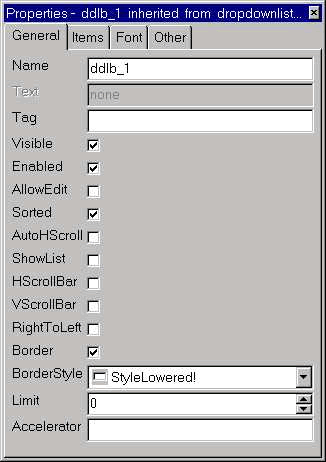
Again, you can choose to have the list Sorted and can enable or disable both the horizontal and vertical scrollbars. If you don't have a vertical scrollbar, you can still select from a long list using the cursor keys.
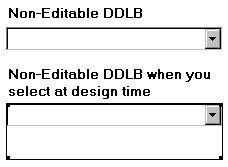
The AllowEditing property allows the user to type a new entry into the control. If AllowEditing is enabled and you supply some Text, then that is displayed in the control and becomes one of the selectable options. However, it is not permanently added to the list, which means that if you select another option from the list and then decide to change it back, you will have to type it in manually.
The 'Always Show List' property means that the list of options will always be displayed, so the control effectively becomes a standard ListBox.
| Home | Previous Lesson: ListBox Next Lesson: CheckBox |