| Home | Previous Lesson: Monitoring Connection Caches/Packages at Runtime in Jaguar CTS Next Lesson: Obsolete DPB Objects/Functions/Events for EAS |
You can monitor the server log for any errors either by opening the file directly or from the Jaguar Manager. If you want to go through the file manually, find the file in bin directory under Jaguar installation directory.
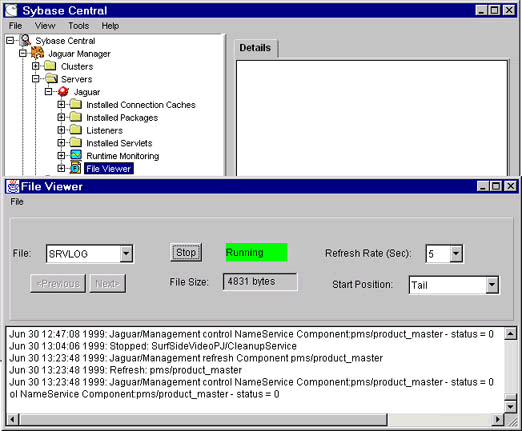
Find File Viewer under Jaguar Manager > Servers > Jaguar and double click on it. From the dialog box, select one of the files. The following picture is displaying the server log. Typically you want to browse the tail by selecting the Start Position. You can set the refresh level and click on Start button to keep refreshing it. This is a non-model window, so, you can keep it open and work in other windows in Jaguar Manager.
| Home | Previous Lesson: Monitoring Connection Caches/Packages at Runtime in Jaguar CTS Next Lesson: Obsolete DPB Objects/Functions/Events for EAS |