| Home | Previous Lesson: PowerBuilder Data Types and Jaguar CTS Next Lesson: Finding Runtime Errors at Jaguar CTS |
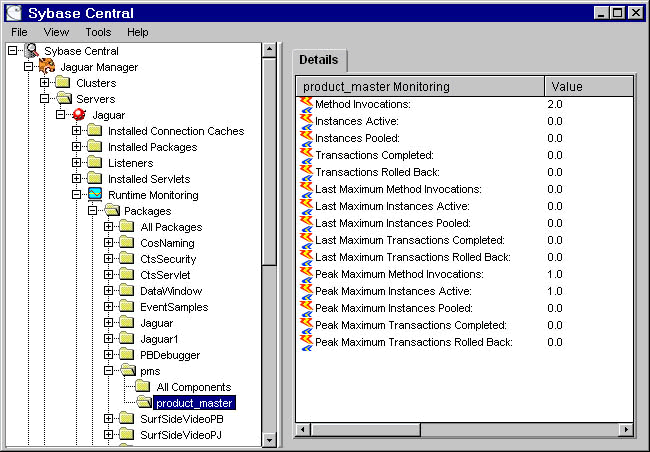
At runtime, you can monitor how many connections are open and how many times each method is invoked, how many transactions are committed or rolled back, etc from the Jaguar Manager.
Start Jaguar Manager, connect to the Jaguar server and expand Sybase Central > Jaguar Manager > Servers > Jaguar > Runtime Monitoring > Packages > pms and you can see all the statistics as shown in the picture.
| Home | Previous Lesson: PowerBuilder Data Types and Jaguar CTS Next Lesson: Finding Runtime Errors at Jaguar CTS |