This.GetContextService("Internet", iinet_1 )
iir_Results1 = CREATE nc_internet_results
ls_URL= "http://www.applied-software.com/index.cgi"
lblob_args = Blob("")
ll_Length = Len(lblob_args)
ls_Headers = "Content-Length: " + String(ll_Length) + "~n~n"
iinet_1.PostURL( ls_URL, lblob_args, ls_Headers, iir_Results1 )
This code is similar to the
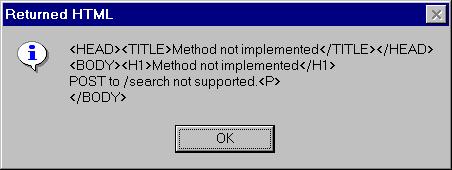
HTTP GET method with few differences. One being PostURL() function. It is called instead of GetURL(). The second one being the HTML header Content-Length sent to the web server. Upon execution, you will see the same message box you saw in the previous section.A very important thing to note in the above code is that you should put two new line characters after the 'Content-Length' header line. That's why you see two "~n" characters. It’s basically the empty line after the HTML headers. Without those new line characters, you will get Web server error and the error number might vary between different web servers. Our site doesn’t support
POST method for security reasons (users can send any amount of data, by which they can fill the web server, if the CGI programs are not written properly). You can try with yahoo.com. Do you know what to do to specify arguments to the CGI programs. If not, here it is:ls_URL= "http://www.applied-software.com/index.cgi"
lblob_args = Blob("")
Replace the above two lines with the following two lines in the above code example:
ls_URL= "http://www.applied-software.com/index.cgi"
lblob_args = Blob("p=CPD+PowerBuilder")
The above code is searching for keywords 'CPD' and 'PowerBuilder'. It’s equivalent of typing 'CPD PowerBuilder' at '
http://www.yahoo.com' site for searching. The browser replaces all spaces with a plus sign for proper translation by the web server. Internet sight yahoo also doesn’t support POST method and you will see the following message. For real testing, you need to find a site that supports POST method.