| Home | Previous Lesson: Connecting to a Version Control System Next Lesson: Version Control System - Check-Out & Check-In |
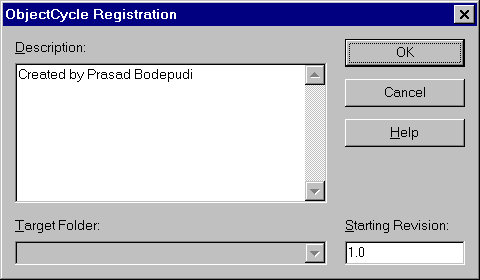
To store PowerBuilder objects in the ObjectCycle system, you need to register each object in the ObjectCycle. This is basically, creating the first version in the ObjectCycle. To register an object in the ObjectCycle, select "Source/Register" from the menu in the Library Painter. PowerBuilder prompts for the comments and the version number you want to start with.
Do you guess how Object Cycle stores the registered object? It doesn't store the object exactly as an object. Instead, the object is stored in the ObjectCycle in the exported version. If you login to the ObjectCycle Manager, you can see the objects with the extension that are used for the object export. For example, if you register a window "w_dde", PowerBuilder exports the window internally and sends to ObjectCycle as "w_dde.srw".
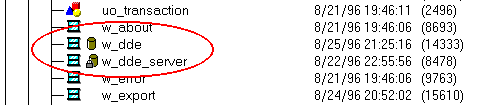
As soon as the object is registered, PowerBuilder displays a database icon before the object name as shown in the following picture. The "w_about" is not registered, "w_dde" is registered and 'w_dde_server" is registered & Check-Out.
| Home | Previous Lesson: Connecting to a Version Control System Next Lesson: Version Control System - Check-Out & Check-In |