| Home | Previous Lesson: Introduction to Version Control System Next Lesson: Registering with a Version Control System |
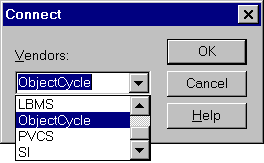
Once the ObjectCycle Serve is installed and running, you can connect to the server from the Library Painter. Select "Source/Connect" from the menu. If you are connecting to the version control system for the first time, PowerBuilder prompts you for the selection of the vendor name.
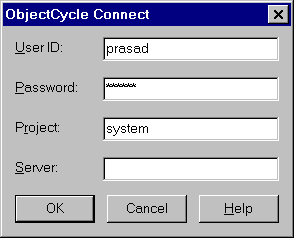
Once you select the Vendor name, PowerBuilder displays the login window to the ObjectCycle server as shown below. The user name you provide in this login window has no relationship to the login you used to the operating system. This login name should be created in the ObjectCycle by the "admin" user.
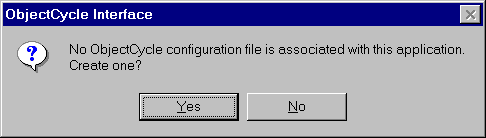
At this time PowerBuilder checks the existence of the configuration file, otherwise, PowerBuilder prompts whether you want to create a configuration file.
The saved file looks like the following:
[pb]
USERID=admin
PASSWORD=admin
PROJECT=system
SERVER=
NODELIST=oc-folder1;
Now you are set to use version control system.
| Home | Previous Lesson: Introduction to Version Control System Next Lesson: Registering with a Version Control System |