| Home | Previous Lesson: Viewing the Check-Out Status Next Lesson: Introduction to Version Control System |
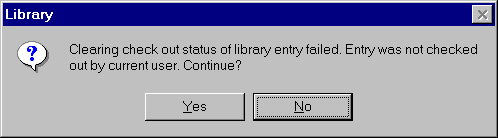
Sometimes, after Check-Out the object, you might change your mind and decide not to do any changes to that object. In that situation, you clear the Check-Out status by selecting "Source/Clear Check-Out Status" from the menu. At this time, PowerBuilder unlocks the original object and removes the working copy from the working library (work.pbl). Only those users whoever Check-Out that object can clear the Check-Out status.
When failed like in the above situation, it asks "Continue?" It doesn't make any difference whether you select "Yes" or "No" for that prompt.
| Home | Previous Lesson: Viewing the Check-Out Status Next Lesson: Introduction to Version Control System |