| Home | Previous Lesson: Team Development Setup Next Lesson: Checking-In a PowerBuilder Object |
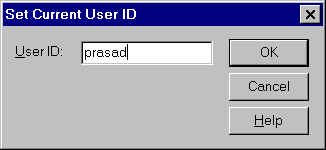
To Check-Out an object, invoke the Library painter and select the object and select "Source/Check-Out" from the menu. If you are Checking-Out for the first time after installing the PowerBuilder on your machine, PowerBuilder prompts you for the user name. This user name has nothing to do with the operating system user name and password.
PowerBuilder write this user name in the "pb.ini" file and uses this name from this time onwards. After some time, if you want to change the user name for any reason, you need to edit the "pb.ini" file. You can find this entry under the "[Library]" section as:
UserID=prasad
For the PowerBuilder prompt, select "work.pbl". Now, you can open the object from the "work.pbl" and do changes and save the changes back to "work.pbl" library.
Even though you can open an object from any PowerBuilder library, you can't save the changes back to the PowerBuilder library, unless that library is in the application's Library List.
 |
You can't open an object (which is in the inheritance hierarchy) unless all the objects in the inheritance hierarchy are in the libraries that are listed in the application's Library List. |
Once the Check-Out is successful, PowerBuilder displays the Check-Out icon before the object icon in the library painter.
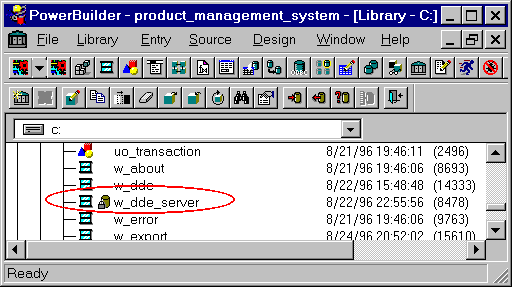
At this time (say you Check-Out the object), if any other user or your self tries to open the original object, PowerBuilder warns about the Check-Out and allows him to open the object.
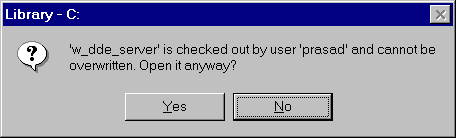
After opening the object, you might think, you can save the changes back to the original object. But, you can't. PowerBuilder expects you to do changes for the working copy only.
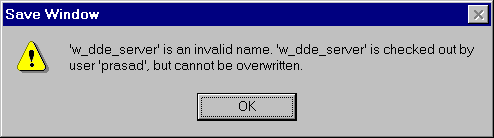
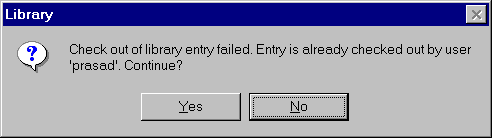
If other user wants to Check-Out the object, PowerBuilder won't give the warning till he specifies the working library name. After that PowerBuilder gives the warning and the Check-Out fails.
Now, let us see how to Check-In the Check-Out object.
| Home | Previous Lesson: Team Development Setup Next Lesson: Checking-In a PowerBuilder Object |