| Home | Previous Lesson: Labeling Next Lesson: Summary |
Say, you have released version 3.0 of your software. Obviously, you will be planning for version 4.0. Just for the sake of example, say, you want to introduce a lot of new features in version 4.0 (which are not compatible with version 3.0). But, you need to fix any bugs that are coming from the users for version 3.0. That means, you should maintain two releases. One version of version 3.0 for bug fixing and minor releases purpose, another for version 4.0 purposes.
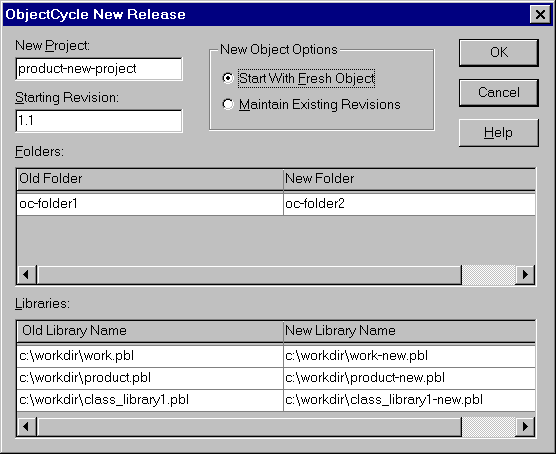
One of the solution might be, creating a new project. You can do so from PowerBuilder it self. Select "Source/Create New Release" from the menu. PowerBuilder prompts for the options and creates a new project in the ObjectCycle Server. You can connect to the new project by selecting "Source/Connect" from the menu.
| Home | Previous Lesson: Labeling Next Lesson: Summary |