| Home | Previous Lesson: Standard Data Types Next Lesson: Functions |
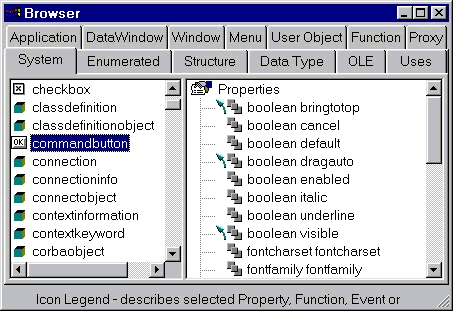
Each object has certain attributes or properties. To see properties of a CommandButton, invoke the Object Browser, select System tab page, and click on CommandButton option. Now double-click on the properties, which is located in the right side box.
To access object attributes, use the object name and the attribute name with a period in-between. For example, to store the window title in a variable, you can write:
String ls_WindowTitle
ls_WindowTitle = w_script_practice.title
To change the window title, you can write:
w_script_practice.title = "New Title"
Let us hide the cb_left button whenever user clicks on the cb_right button. Write the following for the Clicked event of the cb_right button.
cb_left.visible = false
| Home | Previous Lesson: Standard Data Types Next Lesson: Functions |