| Home | Previous Lesson: Column Specifications Next Lesson: Column Edit Style & Validation Rule |
Sometimes, you may have image file names in the database and images itself outside the database. For example, let's assume that product_master has a column product_image which contains the image file name with full path. When a DataWindow is created and viewed, PowerBuilder displays the image file name. It would be appropriate if it displays the image instead of the file name.
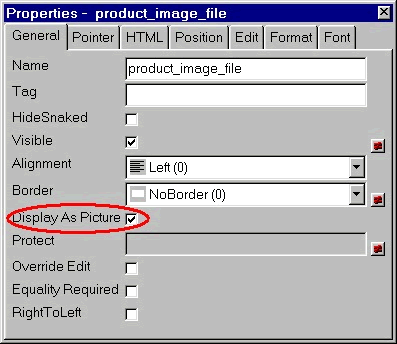
This can be done very easily. Select the column and turn on 'Display as Picture' property in the General tab page. In this case, PowerBuilder takes the column value as the name of the image file (the image file name should have proper PATH included otherwise PowerBuilder looks for the file in the working directory) and reads the image from the disk and displays it.
| Home | Previous Lesson: Column Specifications Next Lesson: Column Edit Style & Validation Rule |