| Home | Previous Lesson: Suppressing Repeating Values Next Lesson: DataWindow Options |
Sometimes, you may want to create a prototype PowerBuilder application when the database is not yet created. Here, you can't retrieve the data from the database since it is not ready. For prototyping purposes you need few records only. A traditional solution for this problem is to store data in a text file and read the text file through a program and populate the DataWindow. With PowerBuilder's "Data retain" feature, programming is not necessary. Some data can be stored in the DataWindow's definition itself. When data is stored like that, PowerBuilder automatically displays it whenever the DataWindow is opened in the window or whenever it is previewed even without a RETRIEVE() function being issued (RETRIEVE () is a function used in scripts to retrieve data into the DataWindow at run-time).
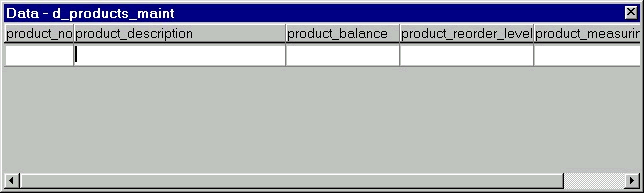
Select Rows > Data menu option. PowerBuilder prompts for the data as shown in the following picture:
Here add, insert or delete any of the information which is saved in the DataWindow and if the database is ready, you can also retrieve data from the database and store it along with the DataWindow definition in the PowerBuilder library painter.
Note that any changes made to the information at this point won't affect the data contained in the database. This is simply another layer of data control that allows you to refine information displayed in the DataWindow. In most cases, you would not want to alter data at this level, as you must have already refined your data set in the appropriate SQL statement.
| Home | Previous Lesson: Suppressing Repeating Values Next Lesson: DataWindow Options |