| Home | Previous Lesson: Data Retrieve Properties Next Lesson: Specifying Data to be Retained |
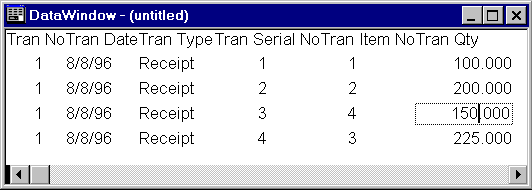
Sometimes you don't want to show repeating values, instead you want to display them once. For example, the following picture retrieved a full transaction. As you see, the tran_no, tran_date and tran_type are same for each item in the transaction. You may want to show those details only once per transaction.
You can suppress the repeating values by selecting 'Rows > Suppress Repeating Values' menu option. The following picture displays the same report after selecting the option for tran_no, tran_date and tran_type. It has a group by presentation style affect.
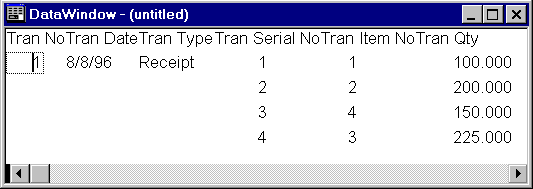
However, if user clicks on another row say row 2 under repeated values column say tran_date, PowerBuilder displays value as long the cursor is present in that field.
| Home | Previous Lesson: Data Retrieve Properties Next Lesson: Specifying Data to be Retained |