| Home | Previous Lesson: The DISTINCT Clause Next Lesson: Joining Tables |
Instead of hard coding SQL SELECT statement's criteria such as WHERE, HAVING clause arguments, you can prompt the user to specify those values by defining retrieval arguments and using them in the query. Select 'Design > Retrieval Arguments�' menu option.
To retrieve all receipts you can write a query as below:
select * from trans where tran_type = 'R'
This query is called hard-coded query. Take the case where the user wants to retrieve details of another transaction type. You got to write another query. Well, that can be done, but then it's not efficient programming. Instead write a generic query and accept input from the user and return the results depending on the input. For example, you can rewrite the same query as:
select * from trans where tran_type = @aTranType
The word @TranType is a variable and is going to be filled-in by the user input. You can observe that the variable name is prefixed with a @. This is the Sybase naming convention. The naming convention varies from language to language. In PowerBuilder, you need to prefix host variables with : (colon). In this context the term "host" means PowerBuilder. Except for that variable in the statement, the rest of is Server specific.
select * from trans where tran_type = :aTranType
The above query is what you type in PowerBuilder. For example, if user specified T, PowerBuilder replaces :aTranType with T and sends the following query to the database.
select * from trans where tran_type = 'T'
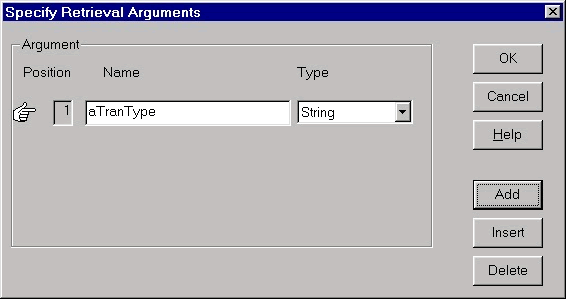
Even before using variables in the SQL Statements you need to declare the variable by selecting 'Design > Retrieval Arguments...' menu option. Supply the name aTranType and specify the data type as String.
Once you define the retrieval arguments, you can use them in the query by invoking the popup menu in the Value option and selecting Arguments option.
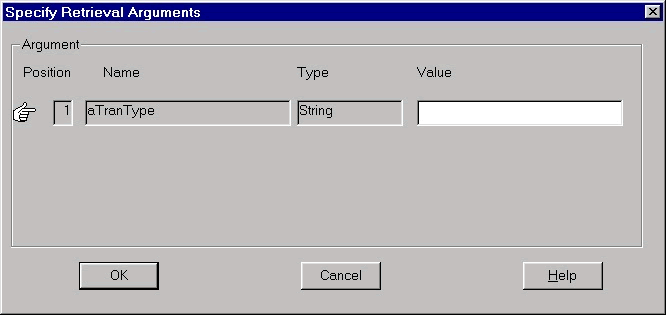
When previewing, PowerBuilder prompts for the retrieval arguments. Type in either R for receipts or I for issues and the relevant data will be retrieved.
 Note that once a retrieval argument is specified, the same will be used until the close of the current session or re-query the database by clicking on the Retrieve icon from the Painterbar.
| Home | Previous Lesson: The DISTINCT Clause Next Lesson: Joining Tables |