| Home | Previous Lesson: Defining Foreign Keys Next Lesson: Data Manipulation |
Indexes are used to speed up data selection from a table by restricting the number of rows that have to be searched. For example, if you had a table of contacts with a gender field and assuming you had equal number of male and female contacts, then indexing this field would half the number of records that need to be searched by a query.
You've declared the unit column as a primary key to uniquely identify rows in the units table, so this is a logical choice for an index.
To define a index, either:
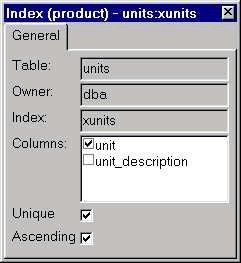
Name the index as xunits and check the unit column. You can specify if the indexed column must contain unique or duplicate values and you can also have the option of indexing in ascending or descending order. We want a unique and ascending index, so accept the defaults and click on the OK button to add the index to the table. Please note that, some of the relational databases don't accept the ascending/descending options.
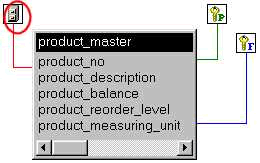
Once you create an index, if you drag units table from Objects sheet to Object Layout sheet, PowerBuilder displays units table with an index icon. If you would like to browse index details, double-click on the index icon.
Once you create the index, PowerBuilder displays the index with the index icon. If you would like to browse about index, click on the icon.
| Home | Previous Lesson: Defining Foreign Keys Next Lesson: Data Manipulation |