| Home | Previous Lesson: Cascading Menus Next Lesson: Creating a Menu |
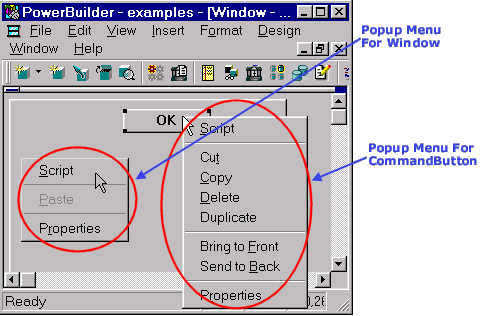
A Popup menu is displayed in response to a specific event. Unlike DropDown menus a Popup menu is not displayed at a fixed place, but it pops up at the current mouse position. Clicking with the right mouse button invokes the popup menu. Programmatically, you can activate a popup menu for any event, but the usual way of activating popup menus is with the right mouse button.
Similar to the DropDown and Cascading menus, Popup menus use the ellipses, right arrow head and check mark conventions. However, Popup menus are more versatile than other menus, since they don't have to be associated with any particular window and can offer different options depending on the object and the position of the right mouse button.
Creation of a popup menu is no different from other menus, except that you need to write few lines of extra code to invoke it.
| Home | Previous Lesson: Cascading Menus Next Lesson: Creating a Menu |