| Home | Previous Lesson: Horizontal and Vertical Progressbars Next Lesson: DropDownPictureListBox |
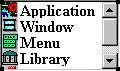
PictureListBox is similar to ListBox control, only with an added advantage of picture display capability for every option in the ListBox. In the normal ListBox, this can't be done.
Picture names to be displayed in the ListBox can be filled in the Pictures tab. While filling the item names in the Items tab, you can specify the picture to be displayed for each item. If you need, you can display the same picture for multiple items.
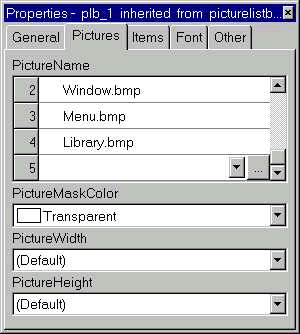
We think it would be better if PowerBuilder allows us to specify items and pictures in a single tab page, so as to avoid switching between tabs.
| Home | Previous Lesson: Horizontal and Vertical Progressbars Next Lesson: DropDownPictureListBox |