 icon or select File > Open from the menu.
| Home | Previous Lesson: Creating an Application Object Next Lesson: Summary |
In order to complete your first application, there are three steps involved.
icon or select File > Open from the menu.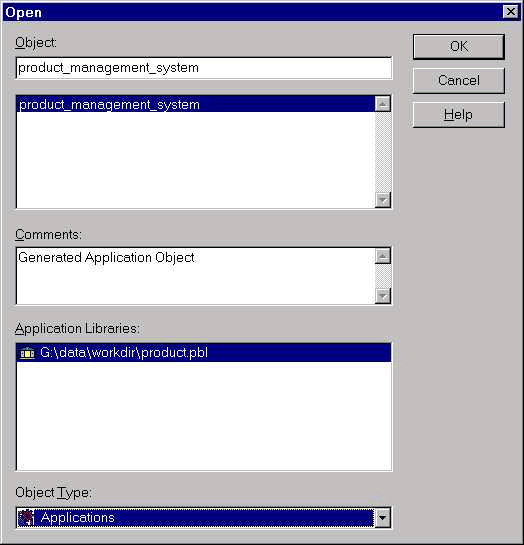
From the dialog box as shown in the picture, select 'Applications' for the 'Object Type' prompt and select 'product_management_system' as displayed below. The following displays the application object development environment. Let's don't worry about all those opened windows and dialog boxes for now�they will be explained in detail in the 'PowerScript' session.
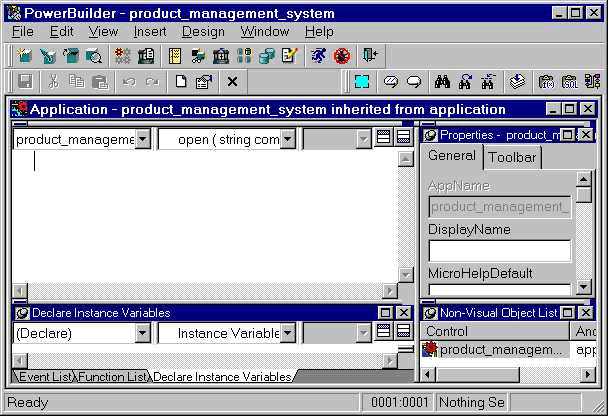
For now, just type the following in the first window�left top pane.
MessageBox("My First Application", "Hello, World!")
 icon from the Powerbar or select File > Run from the menu.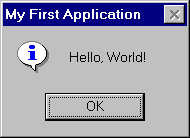
That's all. Isn't it simple to write an application; even though this might not be a great one. Do you know what you did? You wrote the above script in the application's Open event. When you run the application, application object's Open event is the first one to be fired. So it executed MessageBox() function you wrote over there.
In the next session, you will learn about window painter in detail.
| Home | Previous Lesson: Creating an Application Object Next Lesson: Summary |