| Home | Previous Lesson: Changing Variable Values Next Lesson: Debugging Inherited Objects |
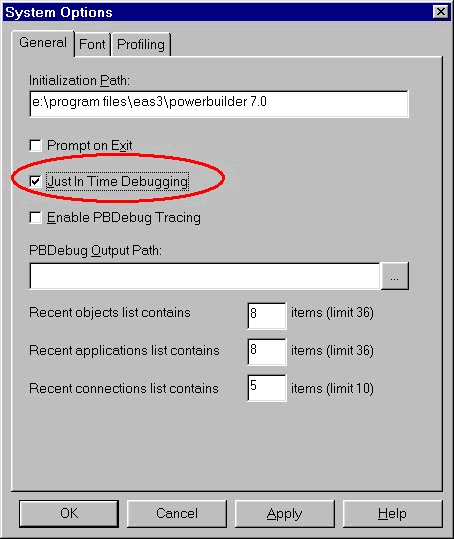
This new just-in-time debugging feature lets you to switch to debug mode, anytime you run the application in the regular mode�using Run toolbar icon�without terminating the application. To enable this feature, you need to enable just-in-time debugging option from the 'System Options' dialog box. You may not find a toolbar icon for this option. Select 'Window/ System Options' menu option and you will see the dialog box shown in the picture. Just turn on Just in time debugging option.
To switch to the debug mode while running the application, switch to PowerBuilder application using the Alt + Tab key combination. PowerBuilder will prompt you (see picture below) to choose between terminate, debug and continue options.
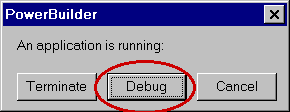
When you switch to the debug mode, you may not find values in the Source, Variables, 'Call Stack' and 'Objects in Memory' views since the context has not been established yet.
When running the application in the regular mode, if a system error occurs while the just-in-time debugging option is on, PowerBuilder automatically switches to the debug mode.
| Home | Previous Lesson: Changing Variable Values Next Lesson: Debugging Inherited Objects |