| Home | Previous Lesson: Running to the Cursor Next Lesson: Just-in-time Debugging |
While debugging a program that contains many changing variables, you may want to modify them. For example, in a loop you may want to increase the value of the counter in order to jump forward in the program; or if you have a menu selection window which gets input from the user, you may want to change the input value to test all the options, without running the full program every time.
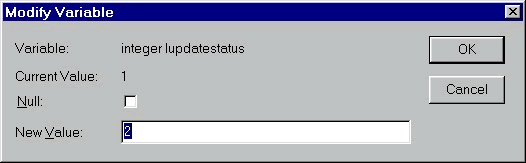
You can see that this displays the variable name and its current value. You can enter a new value or set the value to Null.
| Home | Previous Lesson: Running to the Cursor Next Lesson: Just-in-time Debugging |