| Home | Previous Lesson: Solutions to Common Debugging Problems Next Lesson: Tracing PowerBuilder's Internal Execution |
If you are a version 5.0 user, you can skip this topic.
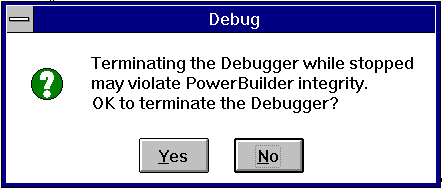
You should always wait till the execution of code is stopped, before you exit the debugger. If you do try to close the debug window during a debug session, you get the following warning:
You can exit the debugger from here, but, there is a possibility that the application may crash. To reduce the chances of this happening, go back to the debug session and wait till the execution stops.
| Home | Previous Lesson: Solutions to Common Debugging Problems Next Lesson: Tracing PowerBuilder's Internal Execution |