You
can create the executable file from the project
painter. Invoke the project painter by clicking
on the  icon. Select New in the
Select Project
dialog box. PowerBuilder prompts you for the
target executable file name. Provide the .EXE
file and click Save
CommandButton.
icon. Select New in the
Select Project
dialog box. PowerBuilder prompts you for the
target executable file name. Provide the .EXE
file and click Save
CommandButton.
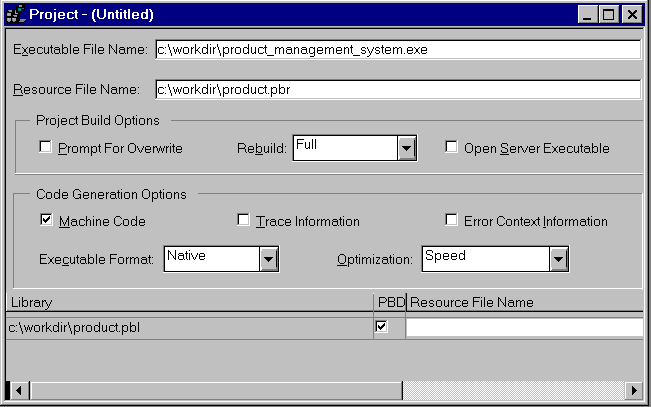
In previous versions of PowerBuilder, creating an executable involves two painters, library and application painter. Even though Project painter was available, it wasn’t the mandatory to use the project painter. If you don’t use the project painter, you need to define what goes into the executable every time you create the executable file. Using the project painter solves this problem. Once you define what goes into the executable and create the executable, you can save the project definition like any object in PowerBuilder. Next time whenever you want to create the executable again, you can just open the project object and execute it, every thing is done for you. To create an executable in version 5.0, you have to use the project painter.