| Home | Previous Lesson: PowerScript Pronouns Next Lesson: Summary |
Before you run a script, it must be compiled. PowerBuilder automatically compiles a script if you try to exit the Script Painter after changes have been made to the script. However, PowerBuilder also allows you to compile a script by selecting 'Edit > Compile Script' menu option.
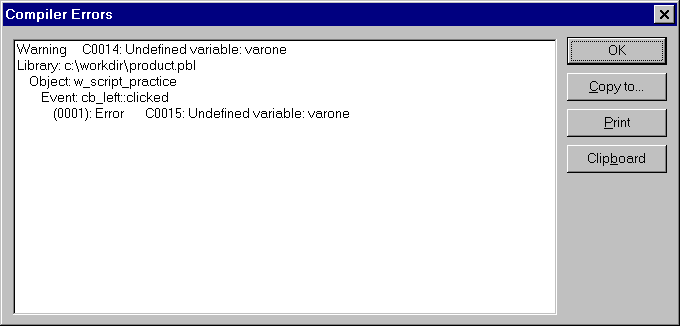
If there are any errors and/or warnings while compiling the script, PowerBuilder displays them at the bottom of the screen and won't let you save any changes to the script until it successfully compiles (without any errors). You can't even change the layout style from the Design > Options dialog box, when the script contains errors.
Errors are caused by statements that PowerBuilder doesn't understand, but warnings can be caused by, for example, undeclared variables. A option to turn off the Compiler and Database warnings is available. If you close the Script view when compiler errors are displayed, you will be prompted 'Ignore Compiler Warnings?'. If you answer Yes, PowerBuilder closes the Script view, it doesn't mean you can save the object.
PowerBuilder overrules these options when you try to save the actual object and displays the generated compiler warnings.
| Home | Previous Lesson: PowerScript Pronouns Next Lesson: Summary |