| Home | Previous Lesson: Commenting Code Next Lesson: Viewing Stored Procedure Syntax |
Sometimes, you might have big tables with long column names. We can't remember each and every column and table/view name. PowerBuilder allows you to paste SQL Statements in the database administration painter. For example let us paste the SELECT statement we wrote above by selecting Edit > Past Special > SQL from the menu.
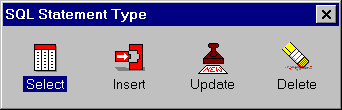
Double clicking on the SELECT icon prompts for the table selection. Select units table and click the Open button. We want to select all columns from the table. So, click on the table title with the right mouse button and select 'Select All' option.
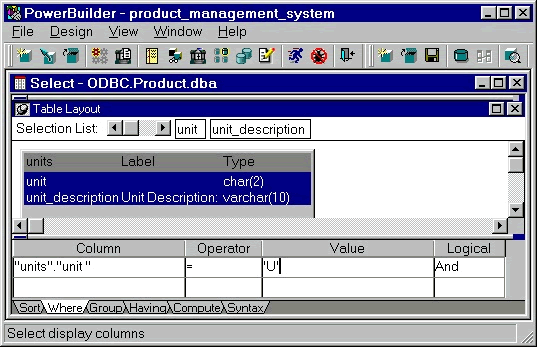
Now, we need to paint the WHERE clause. Clicking on the row just below the Where tab page will list all the columns in the table in a DropDownListBox. Select unit column.
The next option Operator lists all the allowed operators in the connected database. It defaults to '='. That's fine for this query.
Type 'U' under the value heading. Before you paste this SQL, you may want to see it. Click on the Syntax tab page to list the SQL Syntax created as a result of painting.
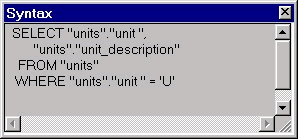
To paste the generated SQL in the ISQL sheet, select File > Close menu option and specify Yes to the prompt. PowerBuilder automatically appends the terminator character ';' (semicolon) to the SQL statement.
| Home | Previous Lesson: Commenting Code Next Lesson: Viewing Stored Procedure Syntax |