| Home | Previous Lesson: Assigning an Icon to the Menu Item Next Lesson: Previewing a Menu |
You can divide a menu group into logical sections using separator lines. For example, under a File menu bar item, you can group all the print options together, all the Save options together and so on.
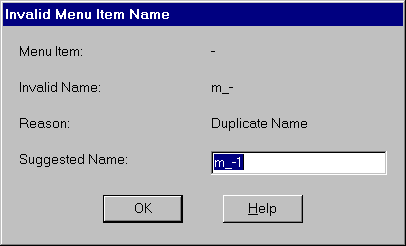
To specify a separator line, you simply supply a single hyphen as the menu item text. PowerBuilder automatically replicates the hyphen to the length of the longest menu option under that menubar item. PowerBuilder will automatically give the separator line a name, like any other menu item, with an identification number. However, if you are trying to paint more than one separator line in a menu, PowerBuilder prompts you for a menu item name for the separator line, instead of assigning the name.
| Home | Previous Lesson: Assigning an Icon to the Menu Item Next Lesson: Previewing a Menu |