| Home | Previous Lesson: Assigning a Shortcut Key Next Lesson: Specifying Space Before Toolbar Icon |
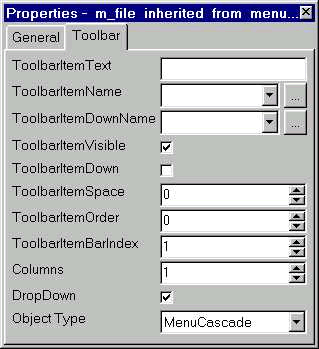
When the ShowText option is set to true for the toolbar, PowerBuilder displays the text for the toolbar icon. You can specify the text to be displayed by typing in the ToolbarItemText prompt under the Toolbar tab page. The same text is used for PowerTip also.
| Home | Previous Lesson: Assigning a Shortcut Key Next Lesson: Specifying Space Before Toolbar Icon |