| Home | Previous Lesson: OLE - PowerBuilder Implementation Next Lesson: OLE Control Attributes |
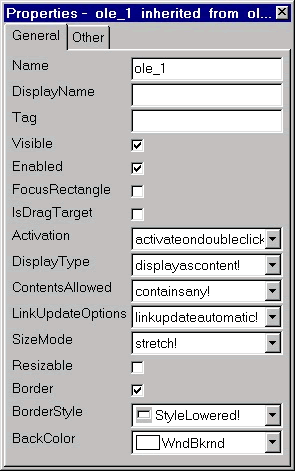
OLE is best integrated in PowerBuilder through OLE in the window painter. This control allows you to embed or link an OLE object and gives OLE container support. All OLE clients support container functionality. The container basically provides some space to place the OLE Server object and invokes the OLE Server for editing the object, either in-place (OLE servers, except for linked objects) or Off-site(OLE 1.0 Servers). OLE client knows nothing about the content of the OLE object and is like a black box for it; That's why OLE client invokes the OLE server for data manipulation, since the OLE Server knows how to manipulate its own data.
Once you place the OLE control in the window it will prompt for the OLE server name. You can either create a new object or create from an existing file. When you create a new object, it will be embedded in the PowerBuilder window and saved as part of the window definition. We don't recommend this method, since, it will lead to long time to open the window, either at the development time or run-time. Other problem is that, when you export this window and import the window definition back either into the same PBL or other PBL, you will loose the content of the OLE control. We do recommend to select cancel while selecting the object type and create the control, and select cancel again when prompted for the object type; this will create the control in the window. Basically it will appear as empty. This makes the window opening very faster.
When you create from the existing file, you will have the option to embed or link. In this case, PowerBuilder decides the server type depending on the information available in the object.
| Home | Previous Lesson: OLE - PowerBuilder Implementation Next Lesson: OLE Control Attributes |