| Home | Previous Lesson: Optimized Object Storage Next Lesson: Automation |
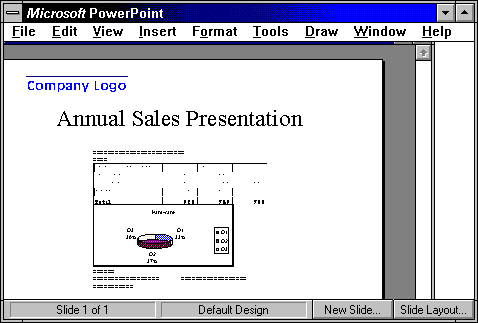
Objects can be linked to or embedded in another object (or even part of an object) in the same compound document. For example, a graph showing sales figures for the month of January may be linked to the part of an embedded spreadsheet which contains January's figures. A change in the spreadsheet figures will automatically affect the linked graph. Nested object linking provides for more efficient use of memory. Users can directly manipulate the nested object. There is no need to launch multiple applications to arrive at the object to be edited.
Above picture illustrates Microsoft PowerPoint with a Word 6.0 document embedded in it. Word 6.0 document has a Spreadsheet object and Spreadsheet graph embeds in it. Nested object support gives users additional freedom to manipulate objects in limitless combinations and work with compound documents more productively.
| Home | Previous Lesson: Optimized Object Storage Next Lesson: Automation |