| Home | Previous Lesson: Advanced DataWindows � Part I Next Lesson: Adding Rows |
Till now we said that, PowerBuilder retrieves data according to the data source definition and displays the data according to the DataWindow format. That is still right, but how does PowerBuilder maintain them internally. Knowing DataWindow internals gives you a better understanding and hence, you can code more efficiently.
When we call the Retrieve() function, PowerBuilder retrieves data from the data source and stores it in the buffer in memory. PowerBuilder then reads the data from buffer and formats & displays it in the DataWindow control.
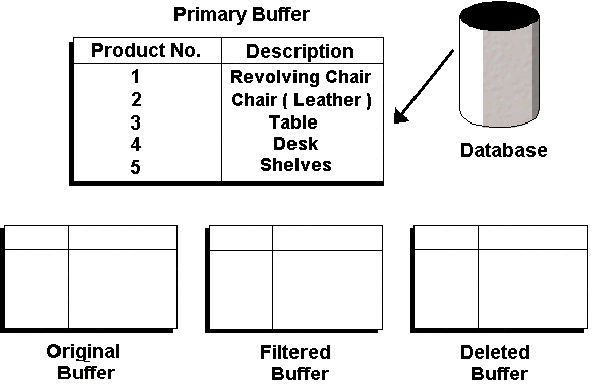
Internally, PowerBuilder maintains one edit control and four buffers for each DataWindow control. The buffers are:
Let's learn about buffers first. When data is retrieved from the database by using Retrieve() function, it is retrieved into the Primary buffer and it is the contents of this buffer that are displayed in the DataWindow:
PowerBuilder always displays the data in DataWindow control from the Primary Buffer. Data from other buffers are not visible to the user. Of course, a programmer can manipulate data in those buffers via PowerScript.
| Home | Previous Lesson: Advanced DataWindows � Part I Next Lesson: Adding Rows |